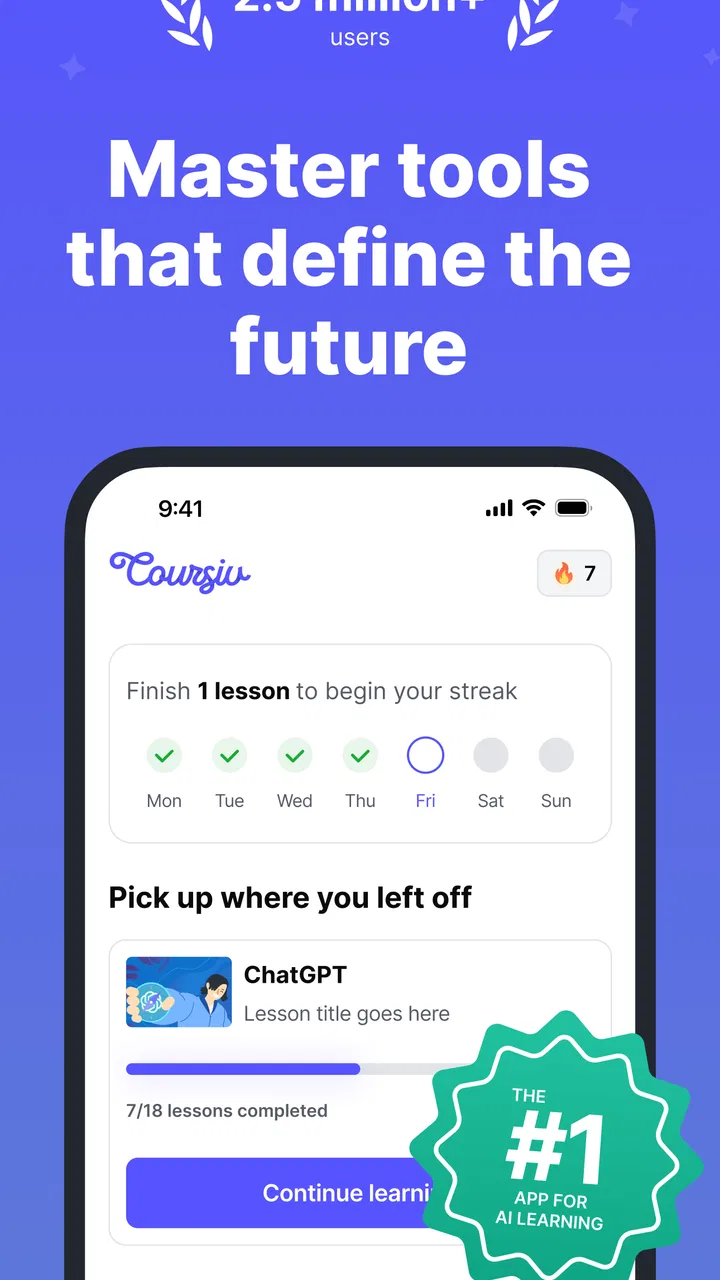
Coursiv: AI Tools Mastery
- 4.6
- Rating
- 1.00M
- Installs
- Free
- Price

 Analysis by App-foxy
I approached Coursiv: AI Tools Mastery as someone trying to make AI useful in ordinary work rather than as a specialist collecting another technical course. The app sits in the Education category, but its appeal is practical: it aims to help people understand a broad selection of popular AI tools and turn that knowledge into repeatable habits. That makes it more interesting than a simple list of tool names, although it also means the value depends heavily on how consistently you apply what you learn outside the app.
Developed by Coursiv Limited, it is available as a free app for Everyone, with optional in-app purchases ranging from $9.99 to $79.99 per item. The app has reached over a million installs and holds a 4.6 average from around 45 thousand ratings, which suggests that its guided learning approach is connecting with a sizeable audience. I would still treat those figures as a starting point rather than a guarantee: an app that teaches AI can feel excellent to a complete beginner and too shallow to an experienced user.
From a vague AI goal to a usable routine
The most realistic way to use Coursiv is to begin with a specific problem. “I want to learn AI” is too broad to guide your attention. “I need to turn meeting notes into a clear follow-up email” is much better. The difference matters because the app covers more than one kind of tool, and browsing without a clear destination can become passive consumption.
You May Also Like

 Blood Strike: 2.5 Anniversary
Blood Strike’s Loadouts Turn Every Drop Into a Tactical Gamble
A close look at Blood Strike’s custom loadouts: how fast access to signature weapons reshapes its battle royale rhythm, rewards preparation, and narrows the gap between fights.

 Pandora - Music & Podcasts
Pandora’s Music Is Easy to Start, but Harder to Recover
Pandora’s strength is its low-effort path from a seed to a station. Its weak spot is how much confidence it asks you to place in connection, setup, and quiet recovery.

 8 Ball Pool
 Is Built on Rivalries, Rematches, and Routine
A close look at the rivalries, rematches, shared routines, and unanswered safety questions that turn a quick pool match into a persistent mobile community.

 Samsung Music
’s Quiet Strength Is Playing What You Already Own
Its reach comes less from spectacle than from dependable access to a personal library. That simplicity is both the app’s strongest retention engine and its ceiling.

 AccuWeather: Weather Radar
AccuWeather Review: A Quick, Clear Forecast for Everyday Decisions
For everyday plans, the best forecast is the one you can understand quickly. AccuWeather makes rain timing, radar, and local conditions easy to act on, with a few trade-offs.

 Hill Climb Racing
Why Hill Climb Racing Still Turns Crashes Into One More Run
A tiny car, a bumpy hill and one more upgrade: Hill Climb Racing keeps resurfacing because its simple chaos makes every near-miss feel personal.
More From Our News Desk



For example, I would start a weekday with a small backlog of rough notes, a job application, or a recurring spreadsheet task. Instead of opening several AI services at random, I would use the learning material to identify which type of tool fits the job, what information it needs, and how to phrase a useful request. That input-to-outcome mindset is where the app has its best chance of changing behavior.
The early experience is approachable for people who are not comfortable with technical vocabulary. Rather than assuming that you already understand model limitations, prompts, or automation concepts, the learning path is designed to make those ideas less intimidating. I found that useful because the hardest first step is often not operating an AI service; it is knowing what to ask for and recognizing when the answer needs checking.
The strongest habit here is to treat every lesson as a small work experiment, not as a chapter to finish. After learning a technique, immediately apply it to a harmless version of a real task. Use a fictional customer message before trying a sensitive work email. Draft a sample project outline before feeding in confidential material. This creates a safer handoff between the app and the external tool.
Choosing a learning path that matches the task
The promise of learning more than twenty-five popular AI tools sounds broad, but breadth can be both the attraction and the weakness. It gives newcomers a map of the current AI landscape instead of forcing them to discover each service separately. On the other hand, someone who already relies on a particular tool may find that time spent surveying alternatives would be better spent mastering one workflow in depth.
I would use the broad coverage during the orientation stage, then narrow down quickly. Pick one task you repeat every week and identify the smallest group of tools that could improve it. For a content workflow, that might mean separating research, drafting, editing, and final verification rather than asking one assistant to do everything. For career preparation, the useful chain could be identifying a role, adapting a résumé, practicing questions, and reviewing the final wording yourself.
This is also where Coursiv compares favorably with simply watching random tutorials. A search engine can provide more detailed answers, but it often leaves the learner with disconnected tricks and no sequence. The app’s educational framing is more helpful when you need a starting route. In contrast, a dedicated course on one AI platform is usually the better choice once your needs become specialized.
Turning a lesson into a step-by-step workflow
My preferred workflow has four stages: define the input, ask for a first pass, inspect the output, and transfer only the useful part into the final destination. Coursiv is most valuable at the first two stages because beginners often jump straight to a vague request and then blame the tool for a weak answer.
Suppose I need to prepare a short project update. I would first collect the raw facts: completed work, pending items, risks, and the intended audience. Then I would ask an AI tool to organize those facts into a concise draft, while clearly stating that it should not invent missing details. The result is not ready to send. I would check names, dates, figures, tone, and any claim that could affect a decision.
The non-obvious advantage of learning this sequence is that it changes how you judge an AI response. A polished paragraph can still be wrong, incomplete, or unsuitable for the reader. The app is most useful when it encourages you to see AI as an assistant for transformation and comparison, not as an authority. That distinction is more valuable than memorizing a collection of impressive prompts.
A practical tip is to save your own before-and-after examples outside the app. Keep the original task, the request you made, the response, and your edited version. After several attempts, patterns become visible: perhaps your instructions lack context, your desired format is unclear, or you are asking for a final answer when you really need several options. This personal record turns general lessons into a private reference guide.
The handoff from learning to external tools
The app can explain an approach, but the actual result normally depends on another service and on the information you provide there. That handoff deserves careful attention. Copying a technique from a lesson into a live workplace account is not the same as practicing it with sample material.
I would keep a clear boundary between learning content and confidential content. Do not paste private customer details, unreleased business plans, personal identification information, or sensitive employment documents merely because a lesson demonstrates a similar task. Replace names and specific values with placeholders while practicing. This is not a limitation unique to Coursiv; it is a basic part of using AI responsibly, and beginners benefit from being reminded of it early.
The second handoff is from AI output to a human decision. If the output is a draft, I remain the editor. If it is a summary, I compare it with the source. If it suggests a plan, I check whether the steps are realistic. This extra pass may feel slower at first, but it prevents the common mistake of measuring productivity by how quickly text appears rather than by whether the final work is accurate.
There is also a handoff from one tool to another. A generated outline may move into a document, a list of ideas into a project board, or a revised résumé into an application form. Each transfer is a chance for formatting errors, lost context, or accidental duplication. I recommend keeping the original source nearby and transferring in small sections. That workflow is less glamorous than an automated chain, but it is easier to audit and correct.
A realistic everyday scenario
Imagine a small business owner who has twenty minutes before opening. They have a rough announcement, several customer questions, and a need to plan social posts for the week. Instead of asking an AI tool to invent a complete campaign, they could use Coursiv’s learning approach to break the job into manageable requests.
First, they prepare the facts that must remain accurate: opening hours, product details, delivery limits, and the desired tone. Next, they request three versions of the announcement for different audiences. Then they ask for a table-like outline of recurring questions and suggested responses, checking each response against the business’s actual policy. Finally, they edit the chosen wording and schedule it through their usual tools.
The outcome is not that the app magically runs the business. The outcome is a clearer process: raw information becomes drafts, drafts become reviewed communication, and reviewed communication moves into the normal publishing routine. Coursiv is helpful at teaching the structure of that process. It is less useful if the user expects one tap to produce trustworthy, brand-ready material without supervision.
Where the broad approach starts to break
The main friction is the distance between introductory learning and expert performance. AI tools change quickly, and a general education app has to balance accessibility with detail. A beginner may appreciate a simple explanation, while an advanced user may want deeper comparisons, edge cases, and a more demanding project. If you already build complex automations or write detailed prompts every day, the material may feel like a refresher.
The purchase model is another consideration. You can install the app free, but optional purchases are present, and the individual items span from $9.99 to $79.99. I would not decide based only on the initial download. Before committing money, I would first establish whether the lessons match a real goal, whether I am willing to practice between sessions, and whether the broad coverage offers something I cannot get from a focused tutorial or documentation.
That comparison is important. Free videos and articles are often better for answering one narrow question immediately. Official documentation is usually stronger for exact product behavior and current technical details. A specialized course can be more appropriate for coding, data analysis, or professional certification. Coursiv makes more sense when you need a guided introduction across several AI use cases and want help deciding where to begin.
The app is also not the right choice for someone looking for a tool that performs work independently. It is an educational product, not a replacement for judgment, research, writing skill, or professional advice. Someone who needs a finished legal document, medical interpretation, financial decision, or confidential business analysis should not treat an AI lesson as permission to skip qualified review.
What the current release means for new users
The current version is 2.1.1 and requires Android 10 or later. That makes checking your device before installing worthwhile, especially if you use an older phone. The age classification is Everyone, which fits the app’s educational purpose, but an age label does not remove the need for sensible choices about what information you enter into external AI services.
I also appreciate that the app’s audience is not limited to one profession. A student can use it to organize research questions and study material. A job seeker can practice clearer applications and interview preparation. A manager can explore ways to structure updates. A freelancer can turn rough client requirements into a checklist before drafting a response. In each case, the best result comes from bringing a real but low-risk task to the lesson.
For a productive first session, I would avoid trying to explore all the available material. Choose one outcome, write down what currently makes it difficult, complete the most relevant learning activity, and test the technique with sample information. At the end, compare the result with your original attempt. If the improvement is not obvious, the problem may be the task definition rather than the AI tool.
My final assessment after following the workflow
Coursiv: AI Tools Mastery is a sensible starting point for people who feel surrounded by AI options but do not know how to turn them into everyday habits. Its broad educational focus, accessible presentation, and emphasis on practical use make it more approachable than opening a collection of unrelated tools and hoping to discover a method by trial and error.
I would recommend it to a beginner who has a concrete goal, such as improving routine writing, organizing research, preparing for a job search, or reducing repetitive planning work. I would also recommend using it with a notebook or document where you record tested requests and corrected outputs. That small extra step is what converts passive lessons into a workflow you can repeat.
I would skip it if you already have advanced command of several AI platforms, need deep technical training, or want a fully automated service rather than education. For those users, official documentation, focused courses, or direct experimentation may deliver more value. The optional purchase range also means that careful trial and comparison are sensible before spending.
My honest view is that the app’s real result is not a spectacular one-off answer. It is the gradual improvement of the handoff between a human problem, an AI-assisted draft, and a checked final outcome. If you use it that way, Coursiv can help make AI less mysterious and more practical. If you only browse lessons without applying them, it risks becoming another collection of information that never changes how you work.
FAQs for Coursiv: AI Tools Mastery
01What is Coursiv: AI Tools Mastery, and who is it for?
Coursiv: AI Tools Mastery is an educational app designed to help users learn and master various AI tools and technologies. It is ideal for students, professionals, and anyone interested in enhancing their AI skills. The app offers a range of interactive courses, tutorials, and quizzes, making it accessible to users of all experience levels.
02How user-friendly is the interface of Coursiv: AI Tools Mastery?
The app is designed with a clean and intuitive interface, making navigation straightforward for users. Features are organized logically, ensuring easy access to courses and resources. The design is responsive, adapting well to both Android and iOS devices, providing a seamless learning experience for users.
03Does Coursiv: AI Tools Mastery offer certifications upon course completion?
Yes, Coursiv: AI Tools Mastery provides certificates for course completions. These certificates can be a valuable addition to your professional portfolio, showcasing your proficiency in AI tools. They are recognized by various industry partners, adding credibility to your newly acquired skills.
04Are there any in-app purchases or subscription fees for Coursiv: AI Tools Mastery?
The app offers a freemium model where basic courses are available for free, while advanced features and premium courses require a subscription or one-time payment. This model allows users to explore the app's offerings without an initial investment, deciding later if they wish to access more advanced content.
05How often is the content updated in Coursiv: AI Tools Mastery?
Coursiv: AI Tools Mastery is committed to providing up-to-date content. The app regularly updates its courses and materials to reflect the latest trends and advancements in AI technology. This ensures that users are always learning current and relevant information, staying ahead in the rapidly evolving field of AI.
Pros
- User-friendly interface enhances accessibility.
- Comprehensive tutorials for AI tool usage.
- Regular updates with new AI features.
- Offline mode available for convenience.
- Customizable learning paths for users.
Cons
- Limited free version with basic features.
- Requires stable internet for some tools.
- In-app ads can be intrusive at times.
- Occasional bugs in the Android version.
- Heavy on device storage for full install.

Coursiv: AI Tools Mastery
Gallery